
Getting Started
Short path from zero to a published site with default local mode.
This is the shortest default scenario. Start here.
Recommended default: local content in the same repository
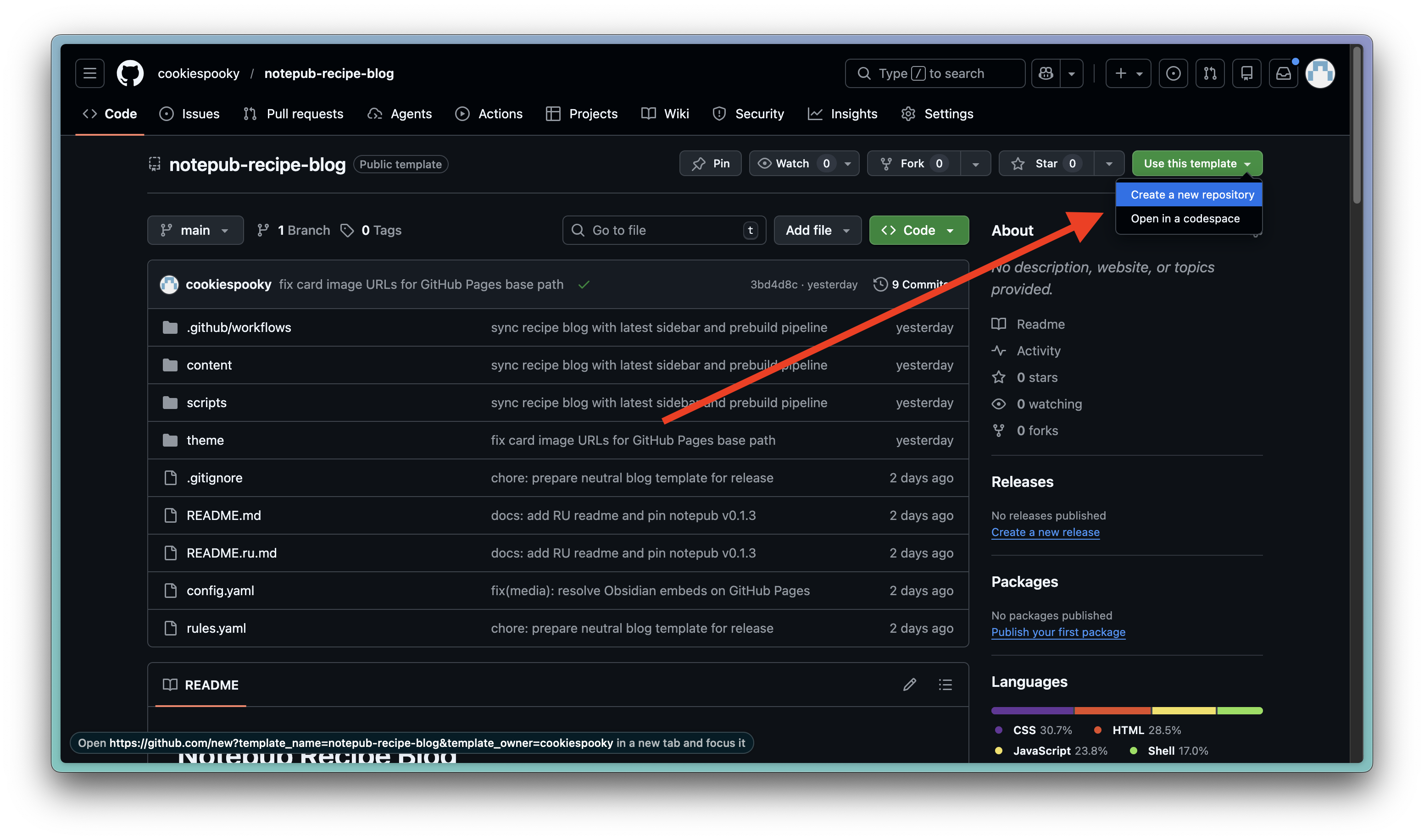
- Create your site repository via Use this template from a Notepub template. Available templates
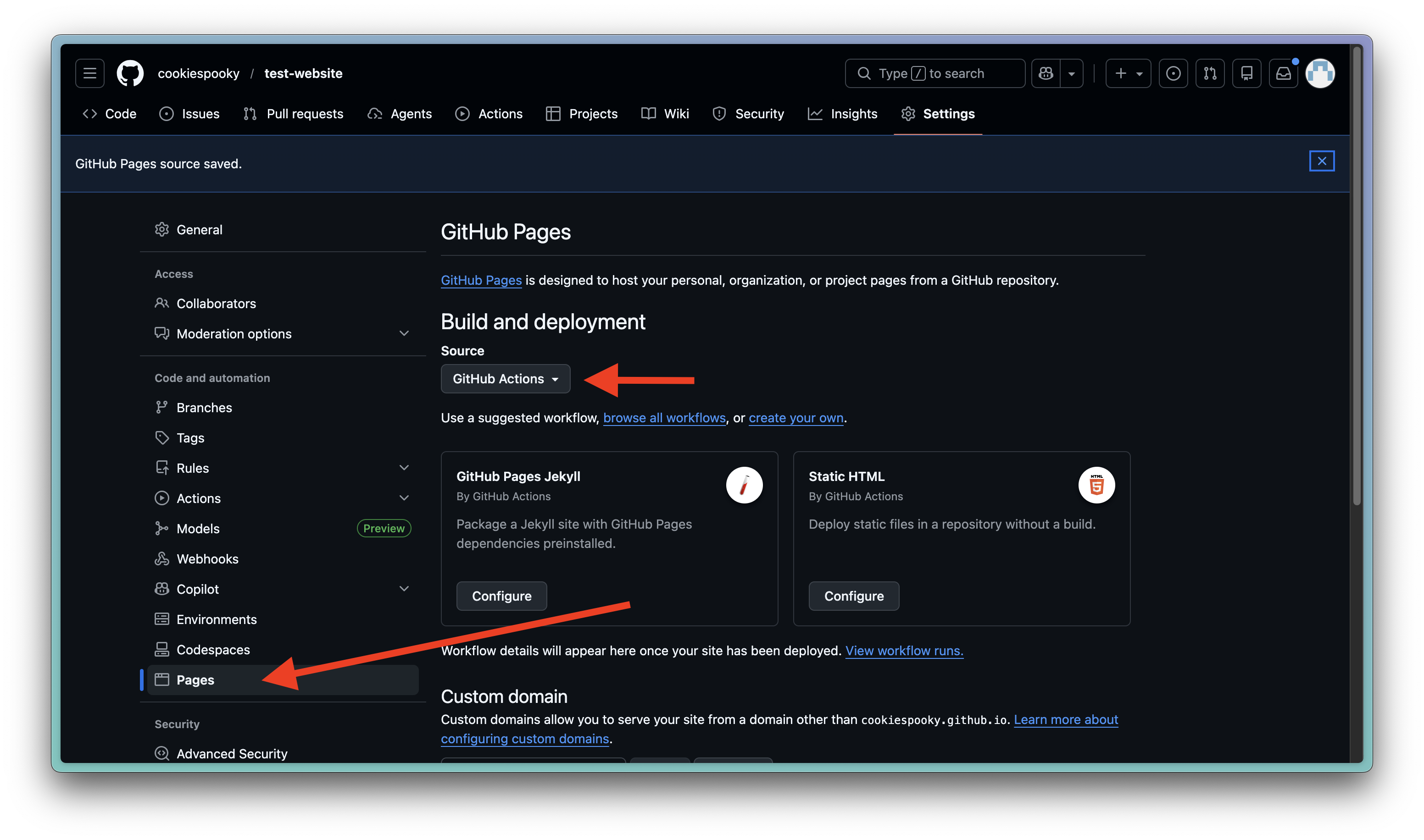
- In repository settings, enable GitHub Pages with GitHub Actions as the source. You can also configure a custom domain there.
- Push changes to
main. Build usually takes under a minute. Monitor progress in Actions.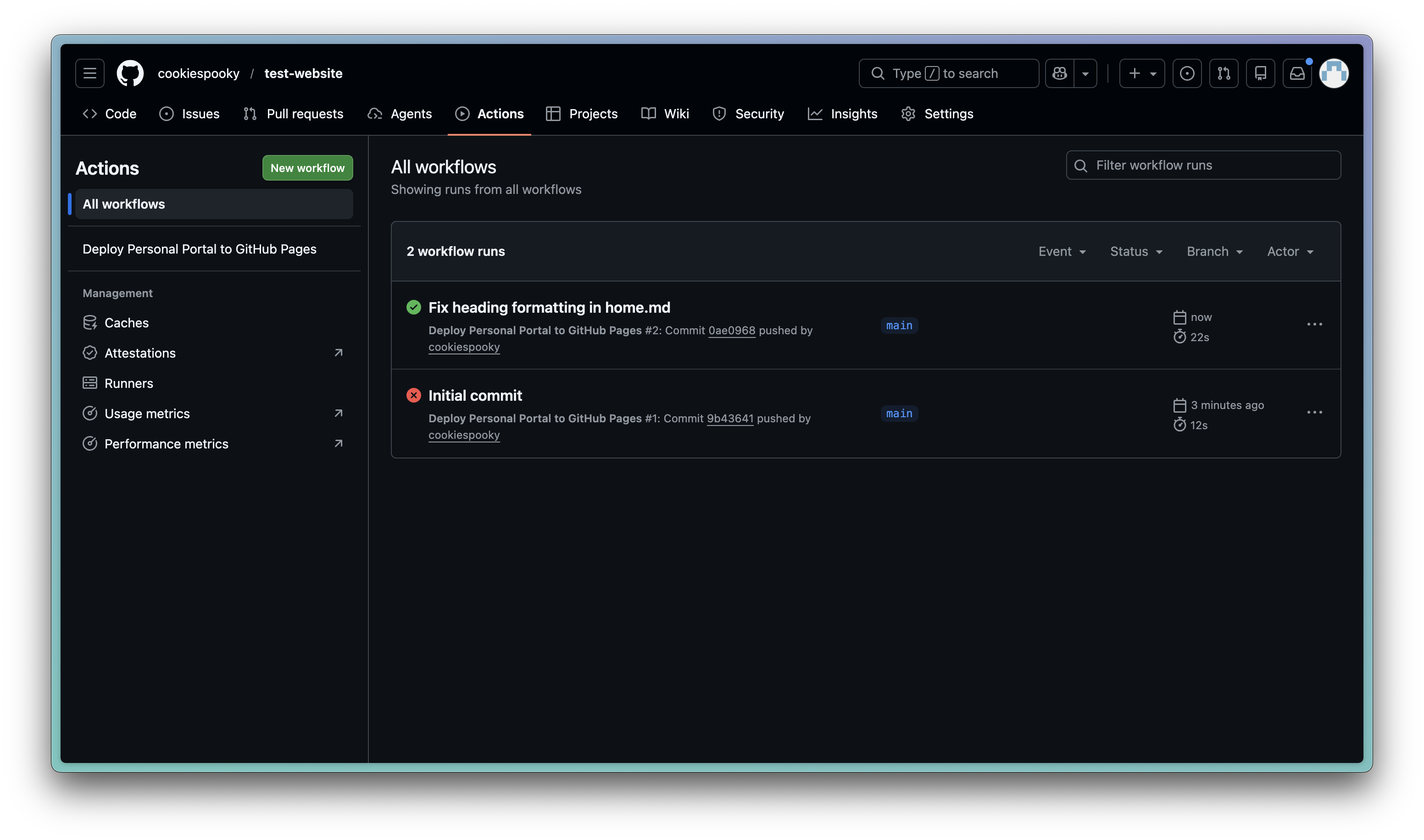 After build, the site will be available at:
 https://USER.github.io/REPOSITORY, whereUSERis your GitHub username andREPOSITORYis your repository name. You can always check the current URL in repository Settings -> Pages.
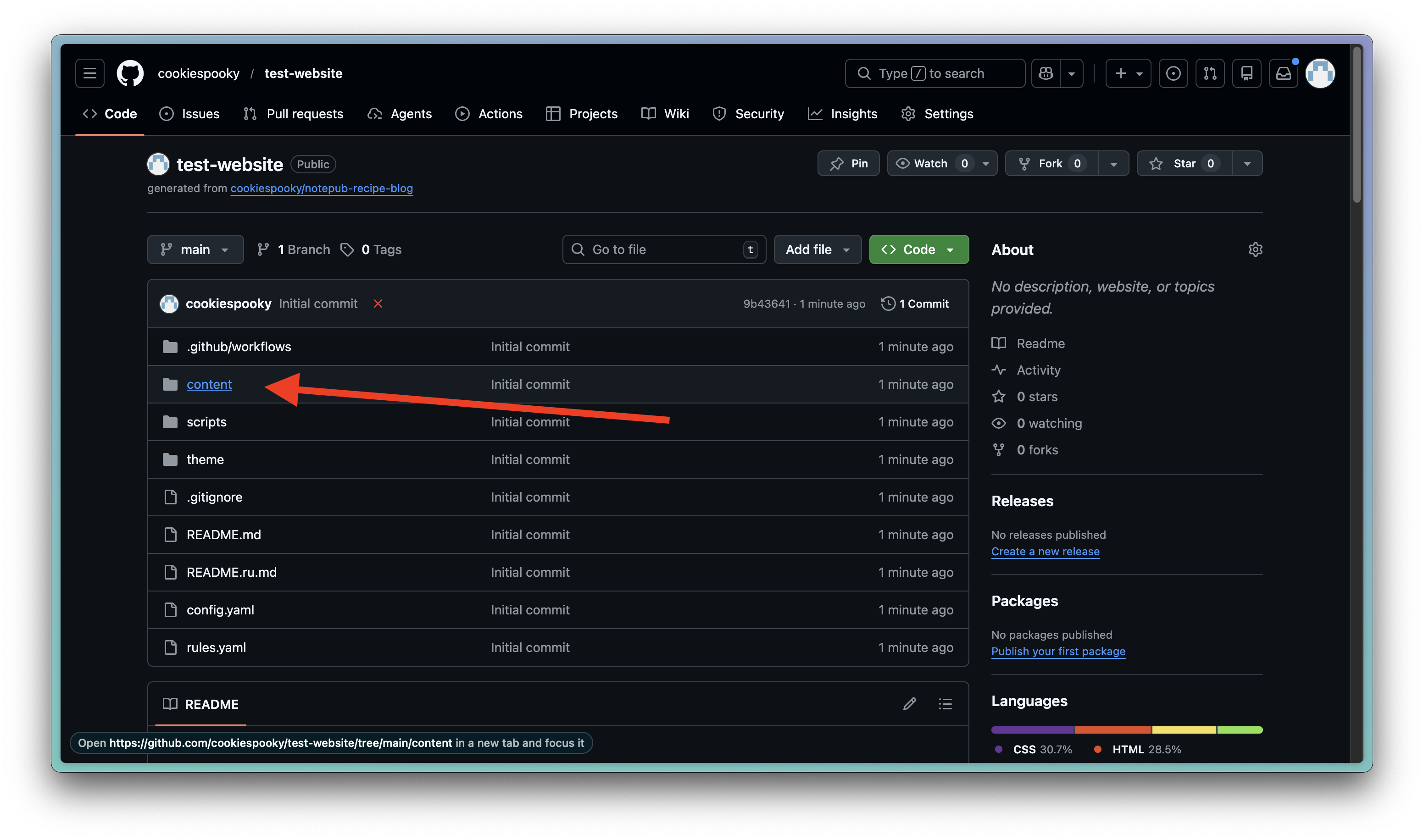
To edit your site content, place your markdown files into content/ and remove unnecessary starter files.
Important: keep frontmatter structure in your markdown files consistent with your rules, so Notepub can build your site correctly.
 CI does:
- downloads pinned
notepubbinary - runs index + validate + build
- deploys
dist/to Pages
What users usually do next
After first deploy, you usually need to:
- Update site metadata (
title,description,base_url, etc.): Configuration Reference - Customize templates and visual style: Themes and Templates
- Run project locally before push: Local Run
- Delegate setup to an agent when needed: AI/MCP Agent Brief
If you use template repos, also see Template Repositories.
Minimal frontmatter
Before writing lots of content, read Content Structure in Recipe Repositories. It helps you model notes correctly (home/hub/article/page/search). Once you understand the structure, you can model your own markdown worlds and build static websites of any complexity and nesting.
For a typical recipe:
---
type: article
slug: my-first-note # canonical page URL
title: Page title # also SEO title
description: Note description # also SEO meta description
draft: false
---
Advanced content source modes
- Content from a separate repository: Content Repository Mode
- Content from S3-compatible storage: S3 Content Mode
- Obsidian flow and required variables/secrets: Obsidian Workflow
Next: Configuration Reference and rules.yaml Reference.